
This one’s for all of my friends at Women’s Money Matters. In a session last night on credit, we got to talking about cybersecurity and online threats so I thought it might be worthwhile to refresh this topic for our other readers – all 3 of you.
Cybersecurity
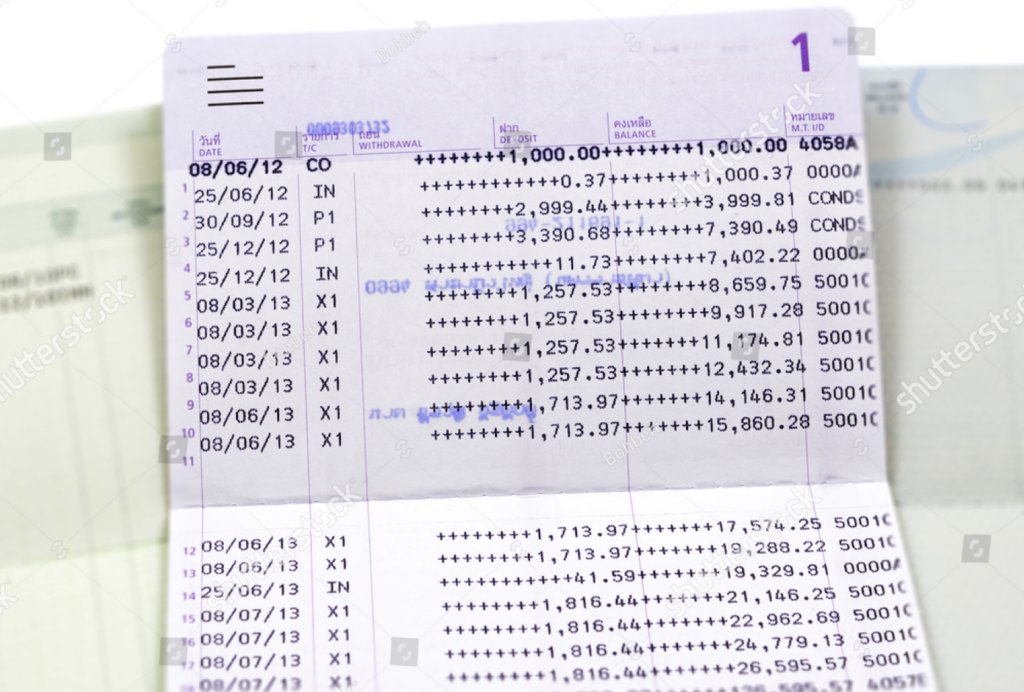
As more and more of our daily lives move online, there is a growing threat to the security of our finances. In the old days, we went to a bank teller to take out cash. The teller probably recognized us – after all, we visited every week to deposit our paycheck, and if we wanted money, we had to present our passbook. For those under 50, it looked like this.
Today, the money enters our account magically on pay date, and we send our money on exciting trips around the globe with just a tap on our phone. My wife made a purchase at Temu in China without leaving the couch.
Is Online Banking safe?
This is the question we should all be asking.
And the answer is yes, but only if we take precautions.
Since there is no teller to recognize us and no passbook involved, we need to make sure we safeguard both our personal and account information.
Personally Indentifiable Information
Or PII as the cool kids call it.
This is information like our name, middle initial, mother’s maiden name, social security number, address… These are facts about us that can be used by a financial institution to know it’s us that they’re transacting with.
I changed my password recently, and I was asked to enter my father’s middle name. This was a security question I had selected and provided an answer for when I set up the account. Its purpose is to identify me, using something few others would know. In the old days, it was always mother’s maiden name, but security systems are getting smarter.
PII is information we can use to verify that it is actually us.
The problem is when our PII gets in the wrong hands. Someone who knows my social security number, name, and street address, can open a credit card in my name, run up some bills and then I’m on the hook. No bueno!
And unfortunately, with the huge number of data breaches these days, we need to assume that all of our PII is available for a low low price out on the dark web.
My identity protection service (more on these later) provided free with both my Apple and Discover credit cards assures me that my SSN is available on the dark web.
Protecting Ourselves
It’s safest to assume that our information is no longer secure and that we need to protect ourselves. This is easier than you may think. A few small changes to our online lives can provide a pretty solid level of safety.
Passwords
Many online companies are moving to Passkeys so this may become obsolete at some point, but if you still have passwords for some websites, read on.
My password for everything was bmw330xi. I had gotten a bonus at work and had used it to partially pay for a new 2001 BMW 330xi. I’m a car guy, and I was pretty excited. As soon as I was required to change a password – any password – I typed in bmw330xi.
Anyone who knew me could have guessed my password in 2 tries.
Today, imagine what a computer can do to guess your password. It has access to your facebook, instagram, possibly your emails, your PII, registry records, home sales…you name it, it’s all online somewhere. With all that info and unlimited processing power, it’s not that hard to guess someone’s password.
And here’s a better way. Let’s say I have a strong password, but I use it at every website. I use it at my bank and I use it at pets.com to research my next pet. My bank spends a fortune on cybersecurity. One breach and their reputation is gone. Not so for our friends at pets.com. What’s the worst that can happen? Someone else realizes you’ve been searching for a pet iguana.
So it’s pretty easy for a hacker to break into the pets.com system and steal data and passwords. And a smart hacker knows that we often use those same passwords for our financial sites. Next thing we know our accounts have been drained. Can’t afford that iguana anymore.
Strong Unique Passwords
So we need strong passwords that are hard for someone to guess. And we need unique passwords for every site we visit. I have 172 passwords. How about you?
Password Managers
A password manager is a secure vault that stores all of our passwords. It also will suggest a new strong password when we create a new online login. Here’s an example.
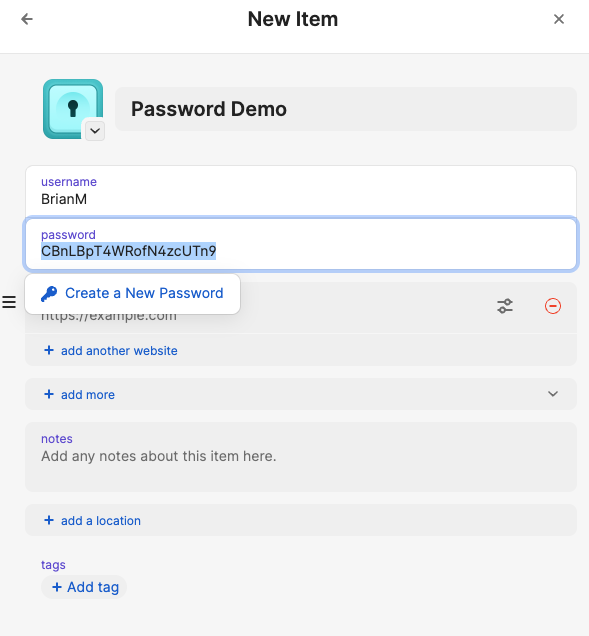
No one will ever guess my password is CBnLBpT4WRofN4zcUTn9.
And a good password manager works on all of our devices, suggests strong passwords, saves them and prefills them every time we return to that site.
I also use my password manager to store notes like creative answers to security questions. My favorite teacher’s name is aircraft77. Let’s see someone guess that.
Passkeys
Many sites now offer passkeys. These are an even simpler solution than a password manager. The passkey is like a stored unique strong password. It is stored on our devices and is shared with the site we’re visiting.
I’m logging into a site with a passcode using my computer. The site the sends a notification to my iPhone. I unlock my phone using face id and approve access.
There are other ways that passkeys can be implemented, but they all rely on a complex key that is stored on our device.
Phishing
Phishing is a way to get information about us. And phishing is a long-game. Every bit of information is a win.
Here’s an example.
My mom’s friend Hector got an email saying he owed money on a purchase he hadn’t made. Hector wisely recognized this as a scam and responded back “How dare you….I’m going to …”
The scammer won this round.
The scammer sent out 20 million emails to random addresses. Hector provided 2 valuable pieces of info.
- His was a valid address
- He is willing to engage
Out of the 20 million, the scammer is hoping to find a few individuals that they can focus in on. Hector confirmed that he’s a candidate. More emails will follow.
Do Not Engage!
Calls, texts, emails, facebook requests…if you don’t know the person, don’t engage.
In 2021, I was in the middle of unwinding some medicare fraud on my mom’s account. I had reported this to Medicare, Health and Human Services and to my congressman. I received a call a while later – to my voicemail because calls from people who aren’t on my contact list go direct to voicemail – from an FBI agent investigating my report. He left a number to call back.
I ignored the number and looked up the FBI’s Washington D.C. office phone number. I called the switchboard and was surprised to find a real agent with the name that was left in the voicemail. I got in touch with the agent and he had no idea what I was talking about.
Someone knew I was working through a medicare issue and knew I needed help. We’re vulnerable when we need help.
It’s often best not to respond. But if we do, make sure to respond to the source. If it’s the FBI, don’t call the number on the voicemail, call the FBI main number. If it’s Amazon emailing you about a charge, delete the email and go to amazon.com.
And if it’s a deal that is attractive and it seems too good to be true, do your own research.
When I volunteered at AARP Fraudwatch, I helped folks who had been taken by Publisher’s Clearing House scams, loan scams, investment scams…Most folks caught in these scams were intelligent people who were caught in a weak moment.
- Don’t engage
- But, if you feel you must, do some independent research first.
* Bonus note: AI can help with your research. Ask Grok or ChatGPT if a phone number, person, offer, is legit.
Be Diligent – Review Statements
Hopefully we all have a budget. But even if we don’t, we need to do a monthly review of expenses.
I started helping my mom with her bills a few years back. I noticed that every 3 months or so, she had a $29.99 charge on her credit card statement from a company neither of us recognized.
I reported it as fraud and the credit card company investigated and refunded her money.
Automation is a wonderful time saver, but mistakes can be made and fraud is rampant. We need to be diligent.
Credit Review
Teaching a class recently, we talked about our credit reputation. I love the word reputation because our credit score is one of the key attributes attached to us in the financial world. It’s our reputation, it’s how we’re known.
When we apply for a loan or credit card, we likely won’t meet anyone or have a face to face interview. The loan or card issuer will review our score and make a decsion.
This is great if our score is correct. What if it’s not?
Our credit score is calculated by the good folks at Transunion, Experian, and Equifax. Read more here.
What if they made a mistake?
Luckily we can get a free copy of our report from each of the agencies weekly. Visit annualcreditreport.com. It used to be annual, now it’s weekly.
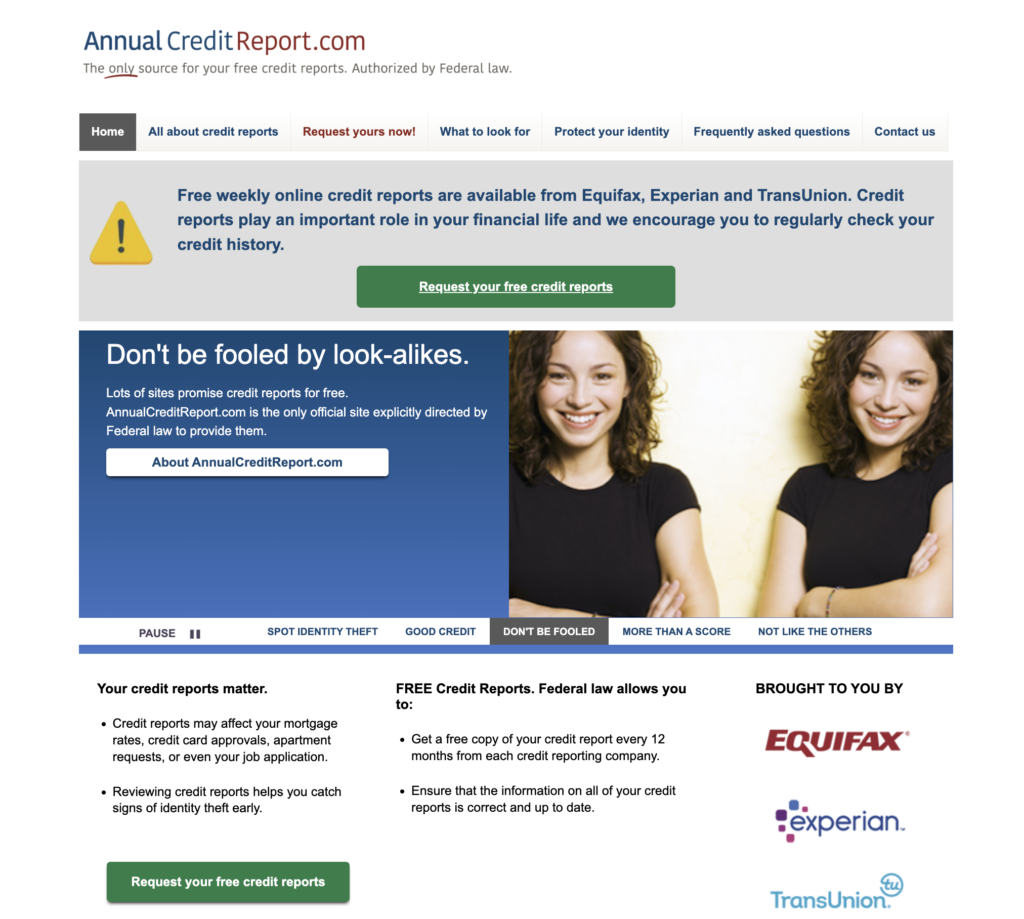
Other sites may ask you to pay for reports or for services. I’ve never found a reason why I need any more than the free report.
Credit Report
The 3 sites offer very similar reports. We’ll see all of our loans and credit cards and our payment history.
It’s important to review this info.
Do we recognize all of these accounts? Could one or more be fraud?
Have they accurately reflected my payment history? Do I have a missed or late payment in error?
Contact the issuer or the credit bureau (numbers are in the report) to contest any inaccurate info.
Credit Services
This is a mixed bag.
Scams are rampant so people want to protect themselves.
Businesses are catching on and they’re offering all kinds of protection services.
While some can be valuable, there is often a free alternative.
Let’s take a look at a few that are worthwhile and free.
Credit Freeze
Whenever we apply for a credit card or a loan, the issuer will verify our credit by requesting our credit report from 1,2,or 3 of the credit agencies – it’s up to them. A credit freeze tells the credit agency to lock our report and not to provide any information to the requestor. This means the loan or credit card request will be denied since the issuer cannot verify our credit.
We put on a credit freeze to prevent someone from opening an account in our name. It is important to set up a freeze in all 3 – transunion, equifax and experian because the issuer may only verify through one of the 3 and if that one is not frozen, the loan or card could be approved.
Add a freeze to all 3. It’s free. And set up an online account, also free. You can pause the freeze if you need to open an account or get a loan, and then reinitiate the freeze after the loan or card is approved.
Identity Theft Protection
There are lots of services available for purchase. Do a Google search.
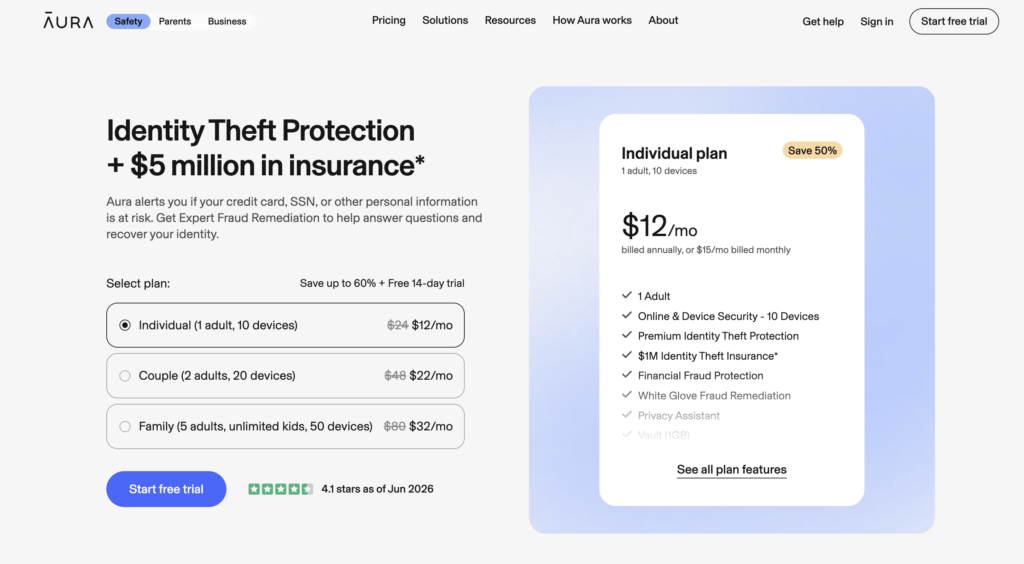
I have free credit protection from 3 of my credit cards. It’s part of the credit card incentives for signing up. I get this email every month.
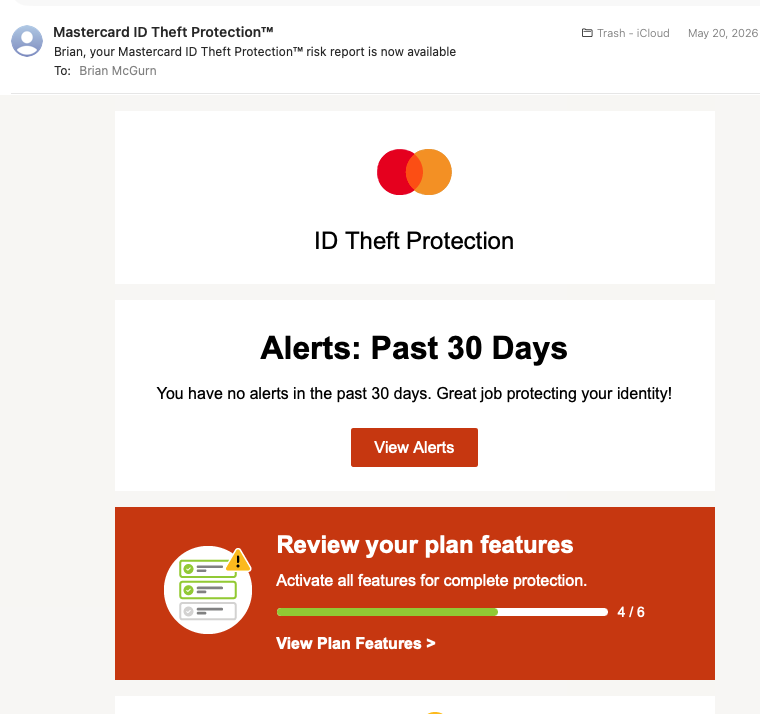
And I know it’s working. Last week I removed my credit freeze and opened a new credit card account – then reapplied the freeze. I got 5 emails. One from each service I have, notifying me that there had been a credit report inquiry.
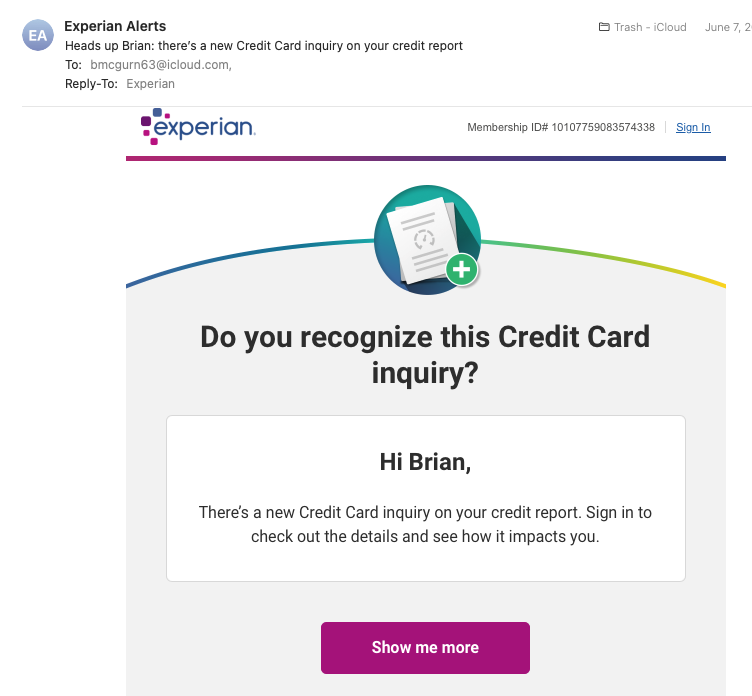
Actually, the experian service was provided free to me for 2 years because my data was involved in a breach.
Between free services offered by credit cards and services that companies offer us when our data is involved in a breach, no one should ever have to pay for identity monitoring.
And if you don’t have a card that offers this or if you haven’t been lucky enough to have been part of a data breach, Credit Karma offers a free service which is pretty good.
Wrap Up
That’s a pretty good start.
Online fraud is big business.
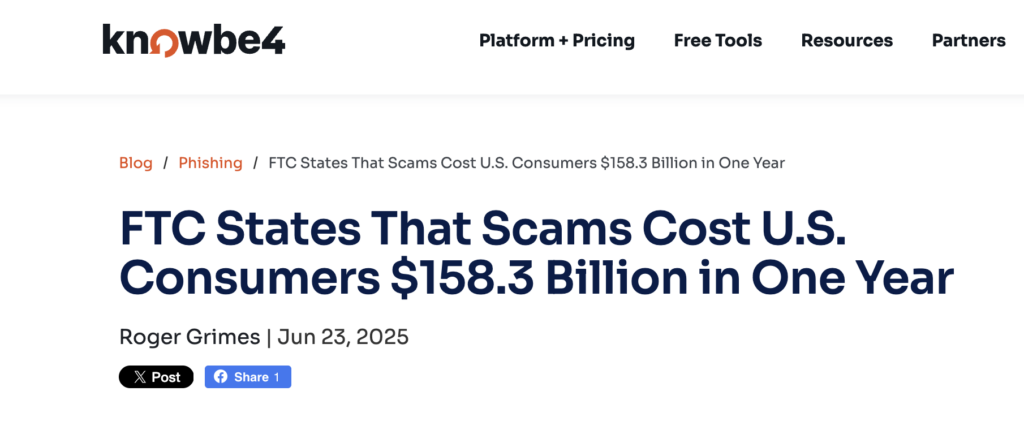
We’re all under attack. Taking the precautions we’ve talked about here can help keep us safe.